



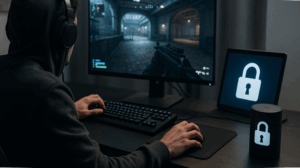
Digital gaming is everywhere now, reaching over 3.2 billion players in 2023 if you go by Newzoo’s estimates. Jumping into multiplayer games, online tournaments, or just logging in for a quick session brings all sorts of benefits: instant access, worldwide friends, even a sense of belonging. Alongside that, though, there’s a very real risk that personal privacy slips through the cracks.
Account takeovers, leaked data, targeted scams; these have become the background noise of any big gaming platform. The UK’s National Cyber Security Centre has pointed out that more than 23% of gamers reported unwanted contact or attempted hack attempts in the last year. So, whether someone’s getting serious about esports, dipping into online slots, or just playing the latest mobile app, it’s actually pretty important to get ahead of privacy issues and stay in control of what you share and with whom.
Build a unique digital identity
Think of strong, unpredictable passwords as the starting point for protecting your gaming identity. Don’t just tweak an old one. The best approach is to mix letters, numbers, and symbols, and never use the same password twice. A 2023 survey by Keeper Security showed almost half, 49%, of gamers can’t shake the habit of reusing passwords across different services, making themselves far more vulnerable if any single site is breached.
Using a password manager makes the whole process less of a headache. On top of that, switching on two-factor authentication really helps. Even if someone gets your password, 2FA means they’ll still need an extra code, typically sent by text or through an app. These days, most big gaming sites offer that feature, and it’s worth taking a minute to set it up. Another point: don’t put real names, birthdays, or bits of your location in your username. That kind of info makes it easier for identity thieves to connect the dots. IT Security Guru underlines that going with a faceless or random username provides that extra wall between your gaming life and personal details, which matters, especially if you ever join public or competitive sessions.
Manage your online presence
If you take a look at privacy options in your gaming profiles and chat settings, there are plenty of ways to tighten them up. Set your account to private where you can. Limit who sends friend requests and check up on who can actually see your play history or posts. Online communities let you tweak these controls somewhat, whether that’s in shooter lobbies, fan forums, or online slots platforms. For your own sake, stick with avatars for your profile photo and leave your camera disabled during matches or streams.
The latest reports from the NCSC say hackers have started to sift through video feeds and images for ways in. Be smart in chat, too: avoid dropping real names, phone numbers, social profiles, or addresses in any conversation—even if it seems casual. Quite a lot of phishing starts off with just a friendly exchange. Sometimes it helps to mute chat or turn off voice comms altogether if it’s not needed, cutting down oversharing and making the space safer for everyone.
Secure your devices and networks
Keeping your home network secure is essential. Use a strong, unique Wi-Fi password and keep your router firmware updated. Avoid public Wi-Fi when playing online slots or installing games, as it exposes you to data theft and man-in-the-middle attacks; if necessary, use a trusted VPN for extra encryption.
Keep your devices updated since patches fix new vulnerabilities. Download games only from official stores, as unofficial sites may hide malware, Splashtop found in 2023 that one-third of gamer PC malware came from sketchy mods or downloads. Regularly check account activity, update passwords if anything looks suspicious, and contact support quickly.
Take control of your interactions
If you come across anyone who seems aggressive or suspicious in chat, block and report them right away. Those in-game tools aren’t just there for show; it’s the fastest way to get rid of harassers, scammers, or spam. Keeper Security found more than 17% of gamers got hit with phishing links, sent either as chat messages or sneaky invites, last year. Auto-filters can catch some things, but they don’t spot everything, so staying alert matters.
If someone tries to squeeze personal information from you in an online game or an online slots room, it’s best to just leave the conversation and flag it. Friend lists can get cluttered. Take a second to clean them out and avoid settings where every friend request auto-accepts. There are usually options to limit who can message you, invite you to games, or spectate your matches.
Choosing to appear “offline” can give you breathing room without all the constant notifications. Make sure to add this to your routine: checking your privacy and account settings every couple of months, especially after major updates or when you start using new features. Put simply, keeping ahead of today’s security curve takes regular check-ins, not just a one-off adjustment.
Responsible gaming and personal safety
Good digital security connects directly to your own sense of wellbeing. Give yourself regular breaks and keep tabs on how much time you’re actually spending in-game, especially when it comes to things like online slots and real money games. If gambling enters the picture, lay down hard limits for both playtime and spending, and try not to chase after a string of losses.
Protecting privacy and finances is part of the big picture, not just about not getting hacked. Many modern games and platforms let you set caps or time limits. Use those tools if you need them. If you ever find gaming is interfering with daily life, reaching out for support is a smart step. Staying sharp, adjusting your habits now and then, and not letting your guard drop are all important if you want a safer, more enjoyable online gaming experience.